

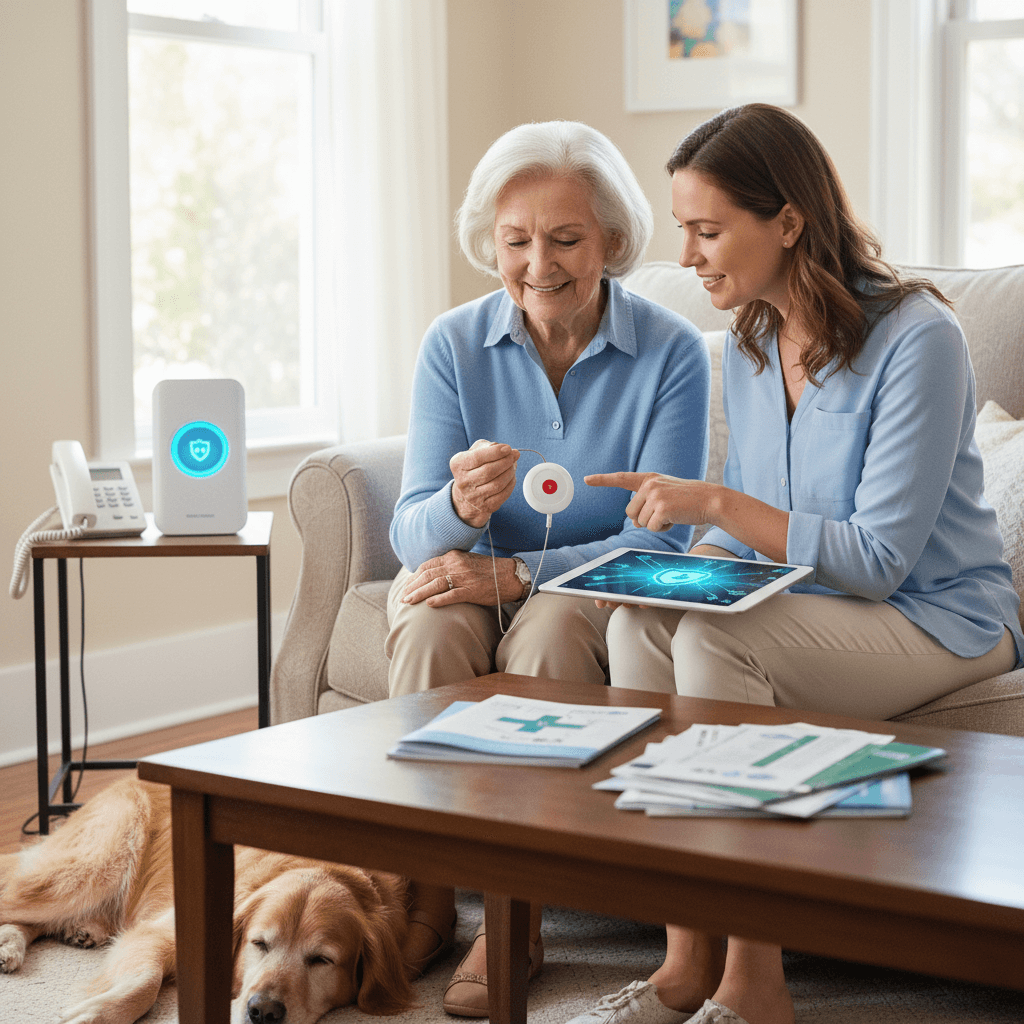
Choosing the right emergency alert solution for older adults can change how families manage day to day safety and response options. This article walks through practical information that helps readers compare types of systems, what features matter for different needs, and how to set up a system so it works in real life.
Whether a senior is living alone, sharing a home with family, or spending time at an independent living community, a medical alert system can provide reliable access to help when minutes matter. Below are clear explanations, real world scenarios, and actionable tips to help you pick the best option for your situation.
What a medical alert system for seniors actually does
A medical alert system is a service that connects an individual to help in an emergency. Core elements include a wearable device, a method of communication with a response center or designated contacts, and a method for locating the person when needed. Most systems focus on rapid contact, fall detection, and 24 7 availability.
Common benefits include quick access to trained responders, the ability to call family members directly, and the option to get help without needing to reach a phone. For many families, the visible benefit is reassurance that help can be summoned when regular phone calls are not possible.
Key features to look for in medical alert systems for seniors
Not all systems are built the same. When evaluating options, look for features that match the lifestyle of the senior and the priorities of the caregiver network.
- Wearable options Choose between pendants, wristbands, and clip on devices. Comfort and how likely the device is to be worn at all times are important factors.
- Fall detection Some devices include automatic fall detection that triggers a call when a sudden movement or impact is detected. This can be valuable when falls happen during times when the person is alone.
- Connection method Units may use landline, cellular, or home Wi Fi. Cellular options work when a landline is not available. Think about where the senior spends most time and which networks will be strongest there.
- Two way communication Devices that contain a built in speaker and microphone allow direct dialog with a response representative without moving to a phone.
- Battery life Check how long the wearable and base station batteries last and how alerts are sent when a battery gets low.
- Location tracking For seniors who leave home, GPS tracking can help first responders find them quickly.
Wearable design matters
For many older adults the device must be comfortable and familiar. A pendant worn on a long chain often feels like a piece of jewelry rather than medical equipment. A wrist device may look like a watch. The easier the device is to wear regularly the more reliable it will be when needed.
Fall detection trade offs
Automatic fall detection can catch incidents when the person cannot press the button. However false triggers can happen during sudden movements that are not falls. Look for systems that allow sensitivity adjustments and provide good customer support for tuning settings.
Monitored versus unmonitored systems and which is right
Systems fall into two main service models. Monitored services connect to a professional response center. When the alert is triggered, a trained operator calls the wearer and if needed contacts emergency services or designated family members. Unmonitored systems ring contacts that you program into the device so family members answer first.
Monitored services often require a monthly fee. They are useful for people who want a professional point of contact at any hour. Unmonitored setups can be less expensive but depend on contacts answering promptly. Consider who will be available at nights and weekends when making a choice.
Costs payment plans and what to watch for
Pricing varies a lot based on hardware type, monitoring level, and contract length. Common cost elements include a one time equipment fee, a monthly monitoring fee, and optional charges for GPS enabled devices or cellular service. Some companies provide rental models with no upfront cost while others sell equipment outright.
- Ask about trial periods so you can test whether the device is worn regularly and works in the home layout.
- Confirm cancellation terms and whether there are early termination fees.
- Check for hidden costs such as activation fees or charges for location services when used outside certain coverage areas.
Installation everyday use and maintenance tips
Proper setup and small daily habits make a big difference in reliability. Follow the manufacturer instructions for placing the base station near a power outlet and a main living area. Teach the senior how to use the button and run practice drills until they feel comfortable.
Simple testing routines
Weekly tests of connectivity reassure you that the system works. Most providers have a test mode that contacts the monitoring center to confirm signal strength and two way communication. Mark a calendar reminder for monthly battery checks.
Placement and signal best practices
Keep the base station in an open area not blocked by large furniture. Metal appliances and thick walls can disrupt signal. If the senior spends substantial time in a back yard or detached garage consider a device with outdoor coverage or a mobile pendant with cellular connectivity.
How to choose the right plan for your loved one
Start by noting daily routines and risk factors. List where the person spends most of their time, whether they leave home alone, and whether they have conditions that make falls or sudden medical episodes likely. Match features to those risks for the best value.
If you want a quick reference that brings these considerations together in one location consult a detailed resource such as this senior medical alert guide which outlines key features and comparison points to help with decision making.
When shopping, request clear quotes that show hardware and recurring fees separately. Ask about training and whether a local representative will visit to set up equipment. Consider who will handle battery changes and software updates and include those names in a household plan.
Real life scenarios that show how systems can help
Example one: An 82 year old woman fell in her kitchen and could not reach a phone. Her pendant activated a monitored service. The operator spoke to her through the unit and called emergency responders who arrived within minutes. The situation ended with a fractured wrist but prompt medical attention reduced complications.
Example two: A man with early stage memory decline left the house in the afternoon. His GPS enabled device allowed a family member to locate him quickly and bring him home. The GPS did not require him to remember any steps to get help.
- Scenario three shows value of two way communication when a senior needs verbal reassurance and simple instructions until help arrives.
- Scenario four highlights how unmonitored systems work when family members are nearby and willing to respond quickly.
Questions to ask providers before you sign up
Before committing, prepare a short list of questions to compare providers side by side. Ask about average response times for the monitoring center, whether the device works during power outages, and how many location updates are provided for GPS units. Request references or reviews that reflect real user experiences.
Also ask about training and whether customer service is available by phone and email. Find out how hardware replacements are handled if the device fails and whether technician visits cost extra. These details reduce surprises after purchase.
Finally build a household plan that lists emergency contacts, primary doctors, current medications, and any mobility or hearing limitations. Keep a printed copy near the base station and on the fridge so responders and visitors can locate it quickly.
Medical alert systems are a practical layer of safety for many older adults and their families. Choosing the right system starts with understanding where the senior spends time and which features fit their habits. Compare monitored and unmonitored models, check contract terms and pricing carefully, and test equipment regularly to confirm reliable performance.
When you are ready to act, gather the household information and call two or three providers to compare quotes and trial terms. Take advantage of demonstration units or short trial periods to verify that the device is comfortable and that response protocols match your expectations. If you need a compact checklist to bring to provider meetings print the list of features and questions from this article to keep conversations focused and productive.
Getting an emergency alert system in place can remove a layer of worry for families while giving seniors a practical way to get help when they need it. Start with real life priorities and make choices based on daily use not just advertised features. Schedule a setup day, do a test call with the monitoring center, and practice a response plan with the senior and family members so everyone knows what to expect when the button is pressed.
